Inventory intelligence
Keep a current view of material volume, storage capacity, reorder timing, and changing fill state across defined zones.
 LifeLine Technologies
 QbVolume volumetric measurement
LifeLine deploys QbVolume where teams need volumetric measurement for stockpiles, current inventory state, fill level, deliveries, extractions, thresholds, and history without waiting for the next manual survey, drone scan, or month-end report.
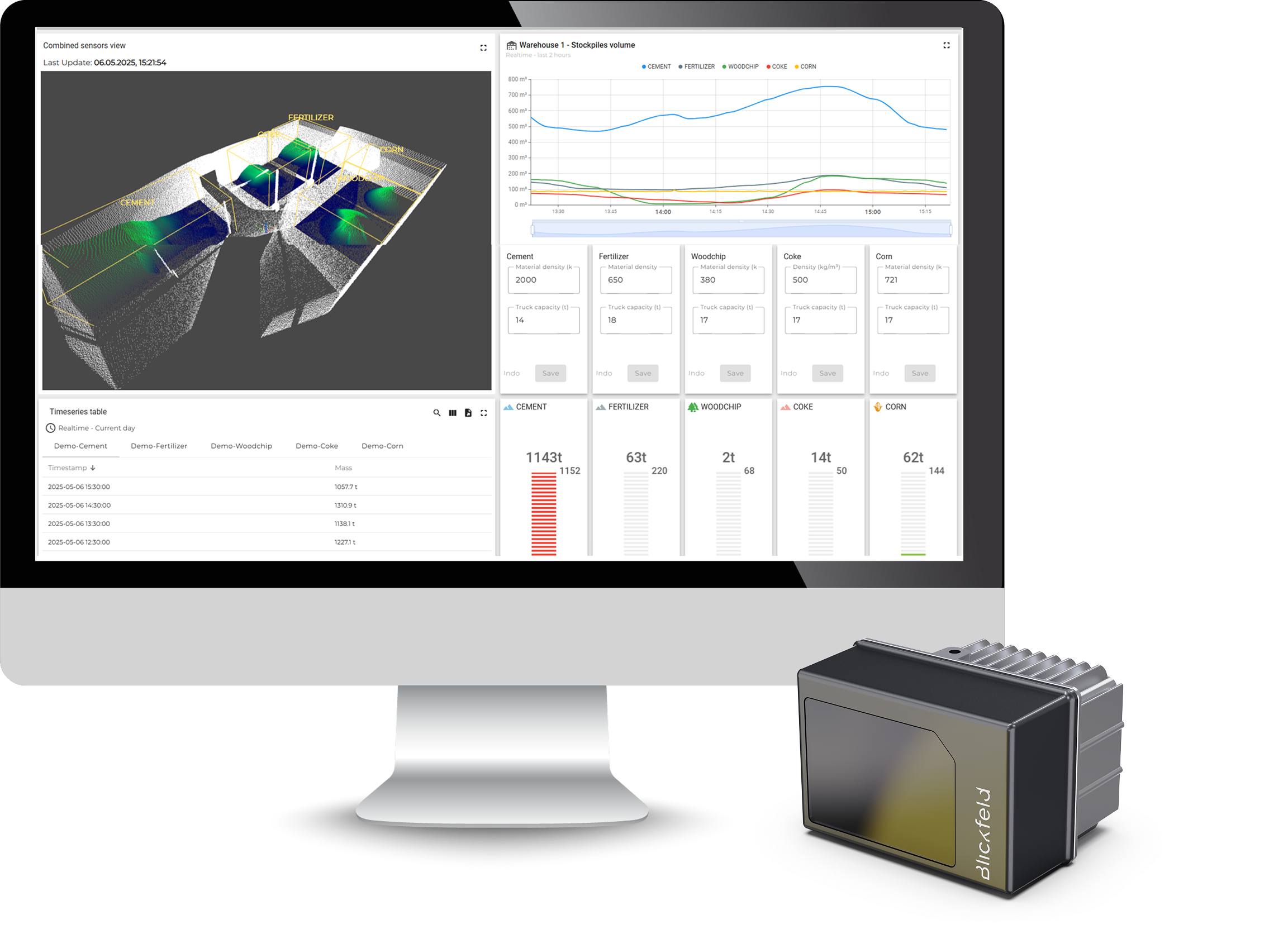
QbVolume in plain English
Why use LiDAR
A LiDAR-based system is useful when material state affects inventory control, site oversight, delivery records, capacity planning, or day-to-day replenishment.
Keep a current view of material volume, storage capacity, reorder timing, and changing fill state across defined zones.
Support review of incoming deliveries, loadouts, removals, and material movement with timestamped measurement history.
Measure piles, silos, bins, bunkers, bays, and open-yard storage where shape and fill state change between reporting cycles.
Give dispatch, replenishment, finance, and operations teams fresher inventory records for daily planning and reconciliation.
Why it matters
Manual checks, drone surveys, level sensors, tickets, and spreadsheets can all be useful. The gap is timing: material keeps changing across the other 29 days of the month.
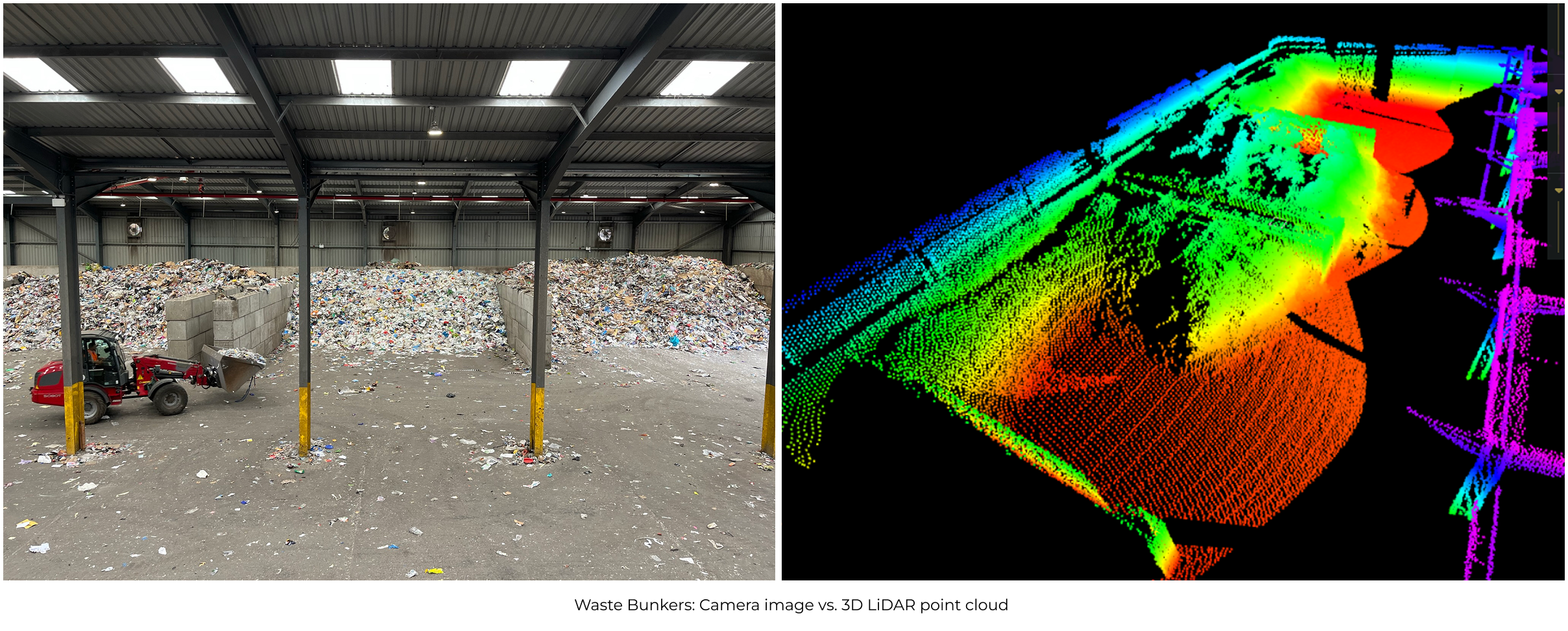
QbVolume fills the gap with a current view of material state across the zones that matter.
Useful locally, but dependent on access, visibility, timing, and interpretation.
Useful for audits, but they leave a gap across the other 29 days of the month.
Useful for isolated readings, but limited when surface shape changes unevenly.
Useful for movement records, but not always a current view of what remains.
What teams use
The useful output is volumetric measurement, fill-level context, threshold state, and timestamped inventory records that support daily decisions and reporting.
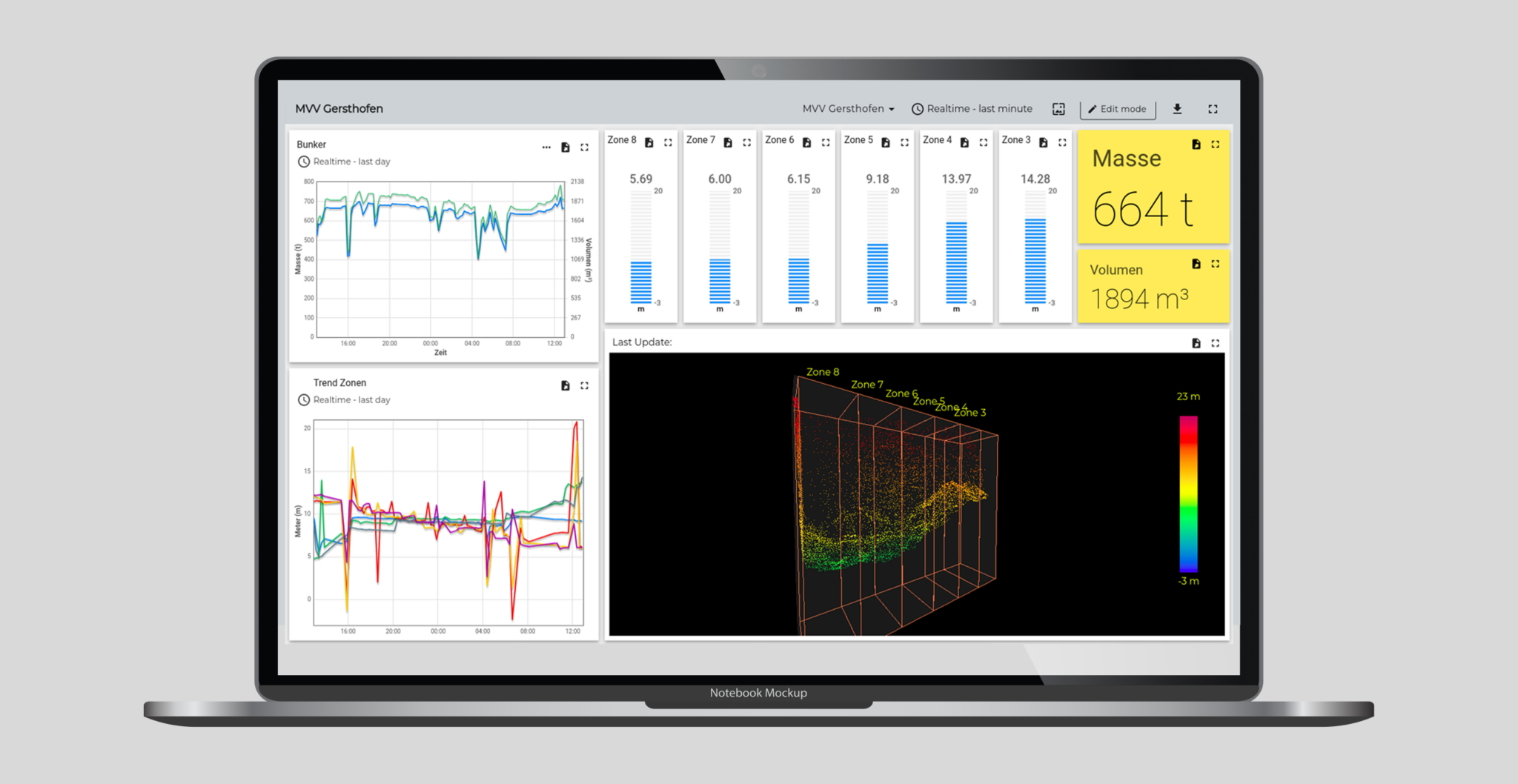
A useful view identifies volumetric measurement, fill-level context, history, alarm state, and the material area behind the measurement.
View current material volume across defined zones, piles, bays, silos, or storage areas.
Track how inventory changes over time instead of relying only on isolated measurements.
Set low-stock, high-fill, overflow, or site-specific thresholds.
Pair values with timestamps so reports are easier to review and compare.
Visual proof
The value is not a raw visualization alone. The deployment needs to translate uneven surfaces, storage areas, and changing fill states into volumetric inventory information the operating team can use.
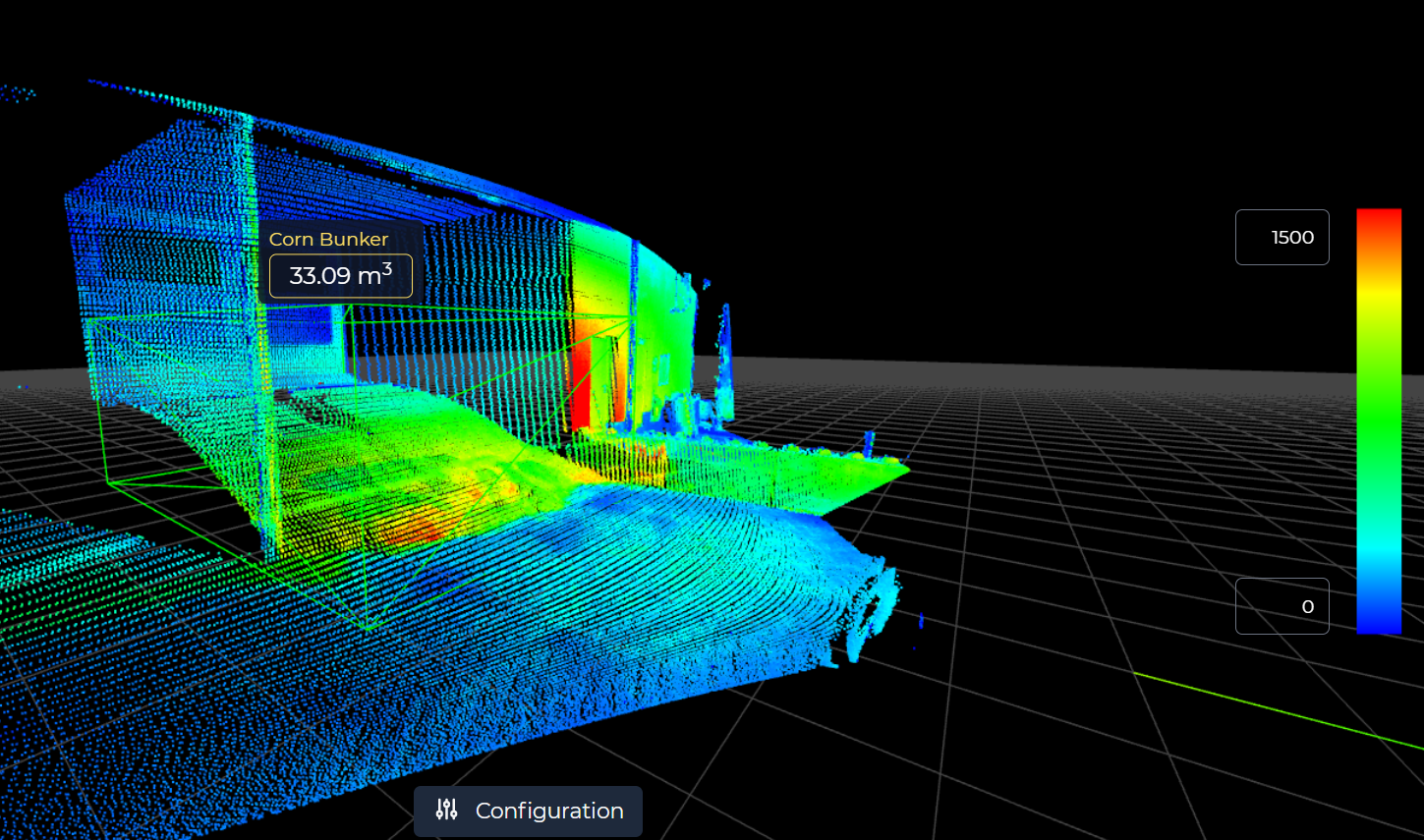
The visual output helps confirm which pile, bay, silo, or bunker is being measured before values become volumetric inventory records.
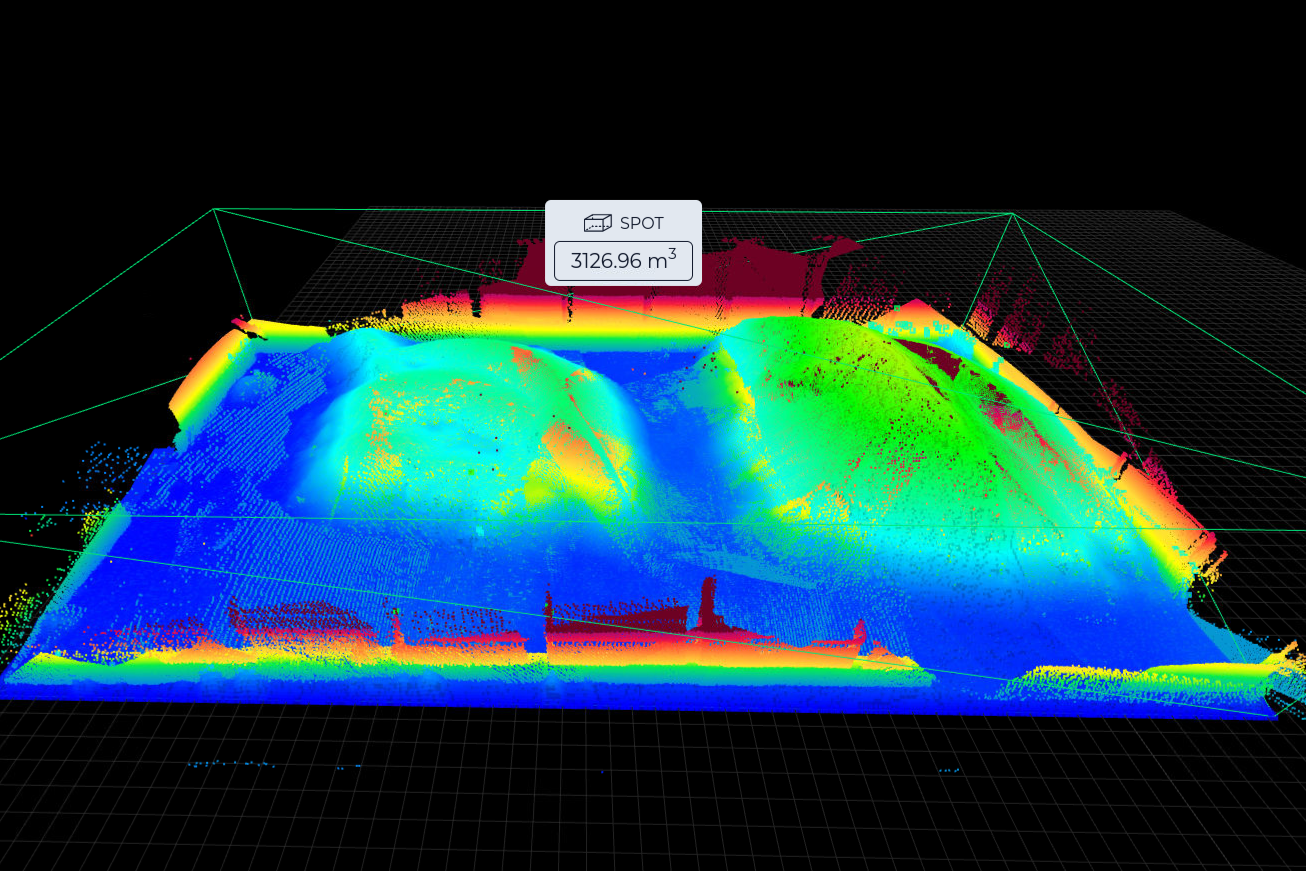
Point-cloud views help explain why an irregular surface can still produce volume, fill-level, inventory, and change-history records.
Fit guidance
Deployment detail
QbVolume is most credible when the deployment has a clear volumetric measurement problem, a practical installation path, and a known destination for the output.
LifeLine reviews output needs before recommending the deployment path. The goal is to deliver current volumetric measurement and inventory state where the operating decision happens.
LifeLine reviews the installation environment, access constraints, power, connectivity, and support path. The system is designed for the site before equipment goes live.
Material spaces become named zones with volumetric measurement, fill-level, threshold, alarm, inventory, or history records aligned to how the team reviews the site.
Useful inputs include site layout, material types, storage areas, mounting options, power and network constraints, reporting needs, and the team responsible for the output.
What the review clarifies
LifeLine Technologies
Bring us the site, material, and reporting gap. LifeLine will review whether a LiDAR-based inventory intelligence deployment is the right fit.